DIY Funny Father’s Day Cards: How To Make Cards With Cricut
This post may contain affiliate links that won’t change your price but will share some commission.
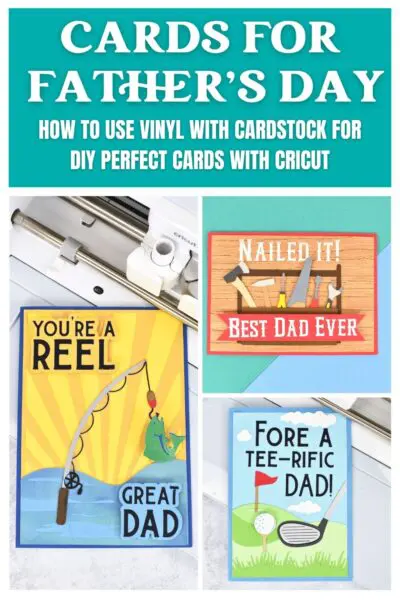
Father’s Day is a special day to celebrate and appreciate all the loving dads and father figures in our lives. A DIY gift or a handmade card is a great way to show your love and gratitude to Dad. In this step-by-step tutorial, I will show you how to make personalized DIY Father’s Day cards using your Cricut, cardstock, and iron-on vinyl (also known as heat transfer vinyl).
Whether you are using a Cricut Maker, Explore or Joy machine, or another cutting machine, you can create these Cricut cards for Dad.
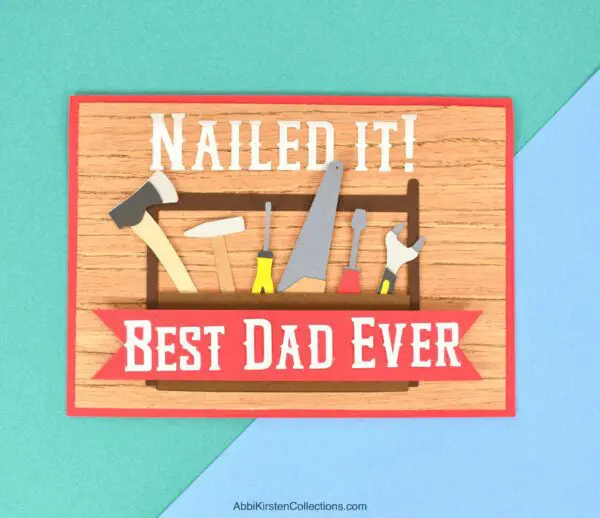
Download The Father’s Day Card SVG Files
The DIY Father’s Day card SVG files are available for all premium crafters in Abbi’s Craft Vault. Already a member? Log in and find the complete Father’s Day card collection here or individually below.
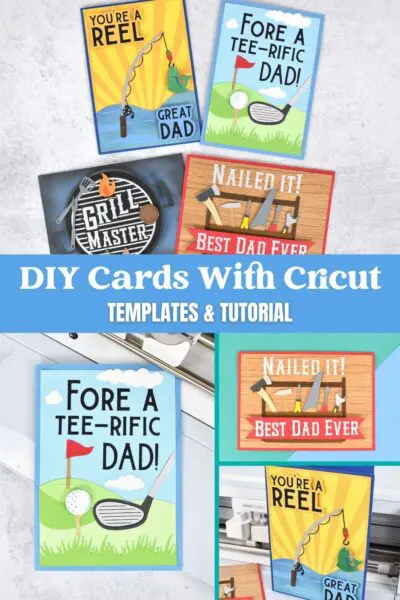
- For a Tee-rific Dad: Father’s Day golf card design.
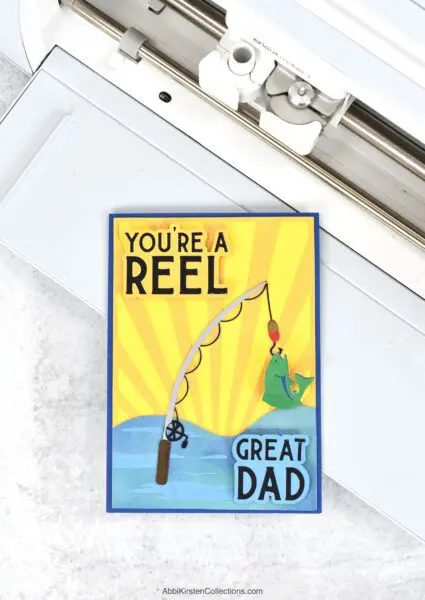
- You’re a reel great Dad: Father’s Day fishing card design.
- Nailed it! Best Dad ever: Father’s Day toolbox card design.
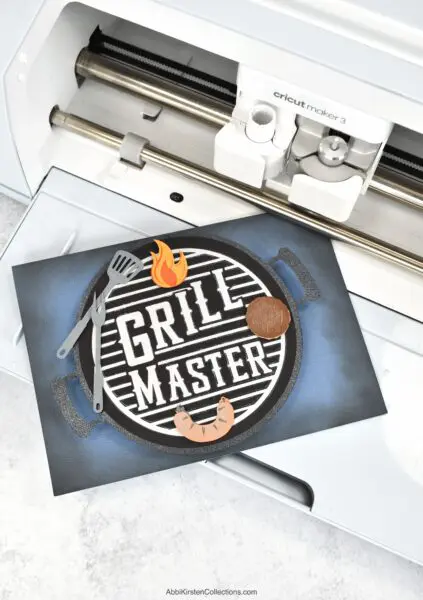
- Grill master: Father’s Day grill BBQ card design.
Find more card designs in the Craft Vault with the keyword “cards.”
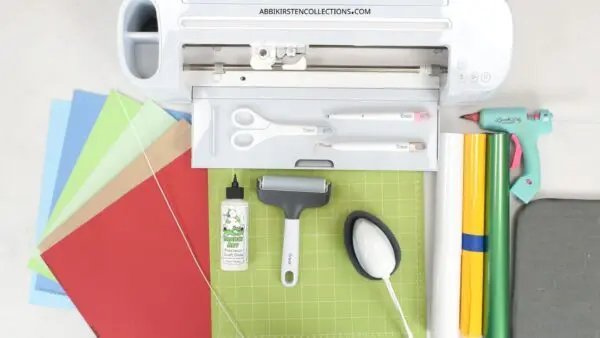
Supply List For Making Father’s Day Cards With Cricut
Let’s get started with these handmade greeting cards for Dad with the supply list. The addition of the HTV (iron-on vinyl) and the wobbly spring effect is optional, but I find the HTV works great with letters and delicate layers!

- Cardstock
- Iron-on vinyl
- Cutting machine ( you can use the Cricut Maker models or Cricut Explore models. The Cricut Joy can work, too, if you downsize the card!)
- Light grip mat (standard green can work too)
- Weeding tool
- Foam Tape
- Bearly Art glue
- EasyPress Mini
- 24 gauge wire (if including the wobbly spring element)
- Acetate ( I used acetate for the base of the fishing rod because I need something to adhere the HTV to while keeping it clear for the card layers to show through underneath – this is only applicable for the rod element of the fishing card).
- Father’s Day card SVGs
DIY Cards for Dad Video Tutorial: Grill Master Card
Keep reading below for a step-by-step tutorial for making these cards with HTV, cardstock, and wobbly springs, or click play on the video to see it in action!
Upload The Card SVG and Scale
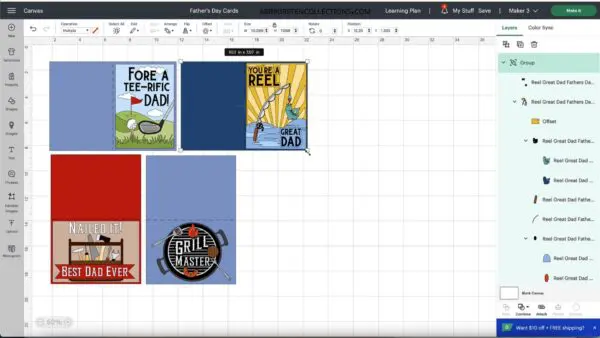
- Launch Cricut Design Space on your device or computer and create a new project.
- Grab the grill, golf, fishing, and toolbox card SVG files here in this Father’s Day card collection available to all AKC premium members.
- Upload the SVG of your chosen design to Cricut Design Space.
- Resize the design to fit a standard-sized greeting card (10×7 inches) or any size you prefer. The files will already come to make a 5×7 inch card but just double-check the dimensions.
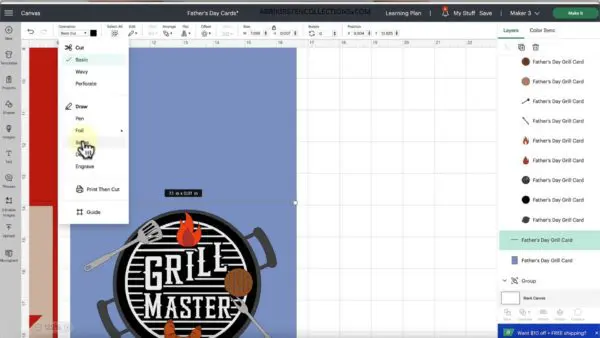
Change Operation To Score and Attach
- Ungroup the card layers. Right-click > Ungroup. Select the black line along the midsection of the card, and check it to a scoreline under Operation > Score.
- Select both the card base and the scoreline and click Attach at the bottom of the Layer’s Panel. This ensures that the scoreline stays put and won’t shift on the cut screen.
- You can use the scoring stylus or scoring wheel, depending on your Cricut machine model. I like the scoring stylus because it fits in Clamp A, and I don’t have to pause to change my tools.
Cutting Your Card With Cricut
- Choose colorful cardstock that matches your design and Dad’s favorite colors.
- Place the cardstock on the Light Grip or Standard Grip Mat. You can use a brayer tool or Cricut scraper tool to smooth the cardstock onto the mat.
- Load the mat into your cutting machine and set the material setting according to the type of cardstock you’re using. I used medium cardstock.
- Cut your card layers and any additional elements.
- If you are incorporating iron-on vinyl onto your cardstock paper, follow suit by cutting out the HTV. I used the Everyday iron-on vinyl setting. Remember to mirror in Design Space!
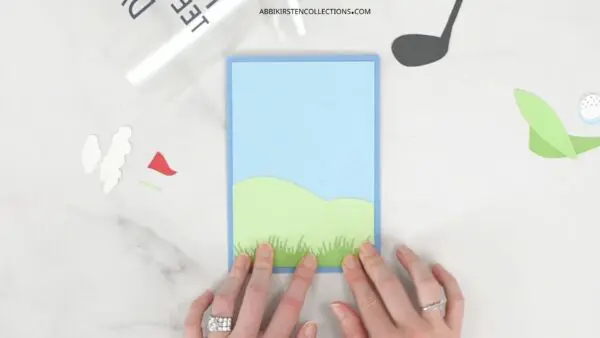
Assembling Your DIY Father’s Day Card
- Carefully remove the cardstock pieces from the cutting mat. I like to flip my mat over and peel the mat away from the material.
- Fold the blank card along the score line, creating a crisp edge.
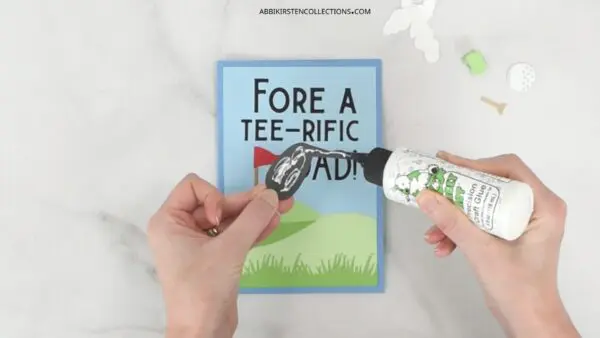
- Assemble the card layers, starting with the base and working your way up. Use a strong adhesive like craft tape or Bearly Art glue for the best results. You can also opt for the foam craft tape to add a 3D look to the layers added to the front of the card!
Applying HTV (Iron-on Vinyl) To Cardstock
If you are using the iron on, weeding the design while you heat your EasyPress Mini to the medium setting. For those who are using a larger heat press, set it to around 280 for 20 seconds.
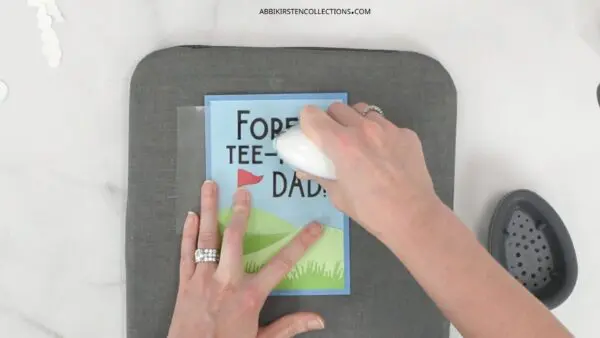
Line up your HTV design to the cardstock base and press for 10-20 with the EasyPress Mini working in sections.
Let the HTV cool completely, and then peel away the liner. Glue or tape on any final card elements.
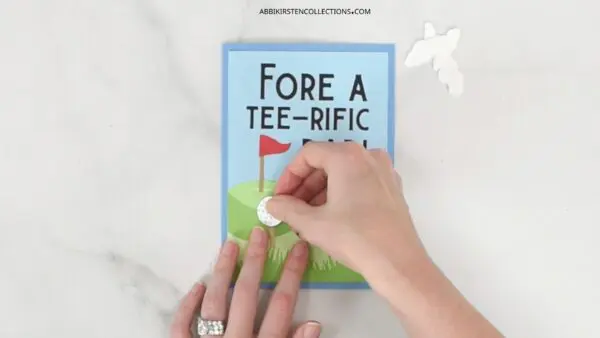
Complete the card by writing a heartfelt message inside, wishing a Happy Father’s Day to the special guy in your life.
Creating a Wobbly Spring Card Element
Adding a wobbly spring to the top of the card is optional but can be a super cute way to dress the card up differently.
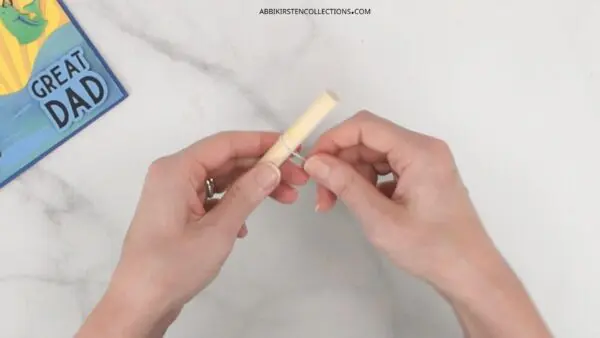
- Wrap 24 gauge wire around a thin dowel (I used a 1/2″ thickness)
- Choose one of the top layers of the card to place with the spring you’ve created.
- Add some glue to the spring and glue it to the piece that will wobble. Wait for it to dry.
- Add glue to the other side of the spring and place the element down on the card where it goes. Let it dry before trying out the wobbly effect!
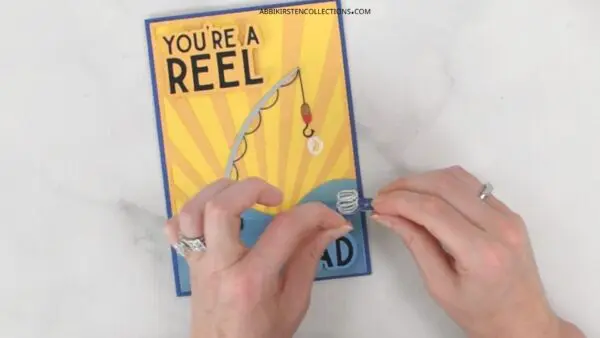
Creating a DIY Father’s Day card using your Cricut machine is not only a thoughtful gift but also a fun craft project. You can even get the kids involved with the assembly process!
Dad is sure to love these funny cards filled with puns. For more gift ideas for Dad, check out the collection of Father’s Day crafts and SVG files below!
More Father’s Day SVG Files (freebies too!)
Father’s Day Handmade Gifts
- DIY photo keychain
- Explosion gift box (FREE SVG files!)
- Father’s Day T-shirt (FREE SVG files!)
About Abbi Kirsten
Welcome to my colorful corner of the internet, where we play with vibrant crafts and unlock your creative magic! Hang out with me and get lost in a fun array of projects, tutorials, and products, from stunning papercraft ideas to flower templates, Cricut help for beginners, and endless crafter’s hacks.
Join A-Star Crafters and participate in monthly Craft-Alongs in our community Facebook group!